What is LaymaniTracks?
Presenting a Laymani application for Android phones and tablets. This software is provided to Laymani Families at no cost. Your only obligation is to provide feedback about operation of the app. Of course, as beta software, you download, install, and operate it at your own risk. This Android application allows Laymani Families to track vet visits, vaccination and parasite medication dates, nail grooming, and registration details – all in one convenient place.
Who is it for?
LaymaniTracks was written specifically for you. Whether you have one dog or five, this app will help you stay organized.
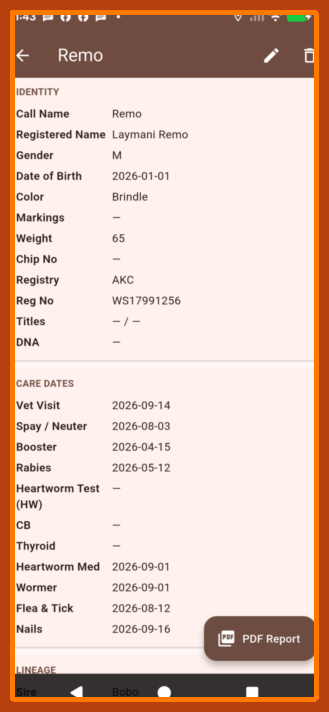
Boxer Entry Form, first part…
The Entry Form is shown in 3 parts, in order to use screenshots. It is actually 1 long scrollable screen.
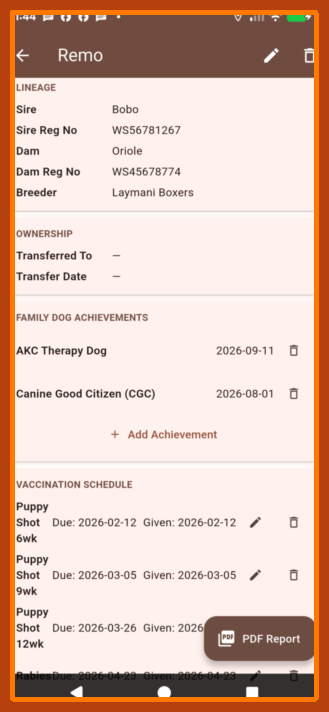
Boxer Entry Form, second part
“+” allows adding a Family Dog Achievement
The app can prepare and print a PDF Report, if you have a viewer or a printer installed on your Android device.
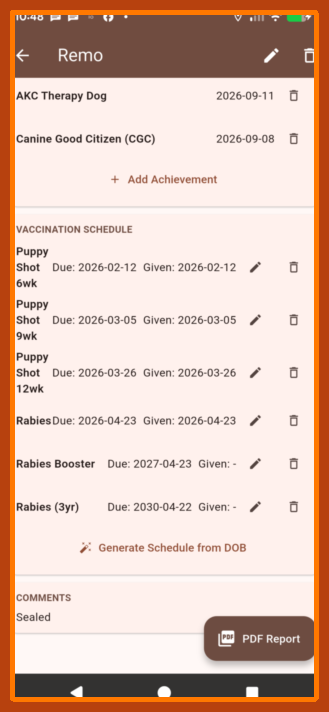
Boxer Entry Form, third part
Vaccination Schedule can autocalculate based on Date of Birth. Edit and Delete are shown.
How to Get the App
Step 1 — Please email tracksapp@laymani.com to request the application and begin installation.
Include your name, email address, and any initial comments in the message.
Step 2 — We’ll reply and Attach the LaymaniTracks app.
Download the attachment and install it on your Android phone or tablet.
There is no charge for Laymani Families to use this app.
We reply to every request as quickly as we can.
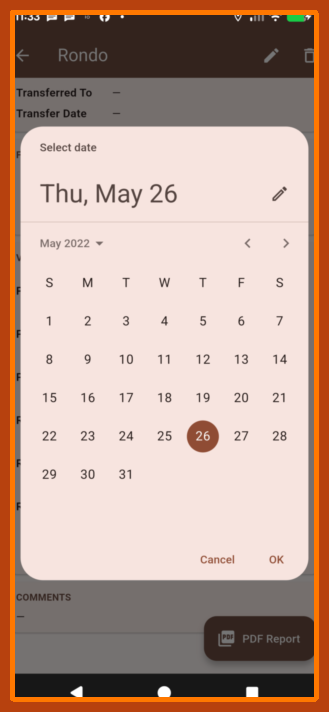
Dates can be typed or added from the GUI
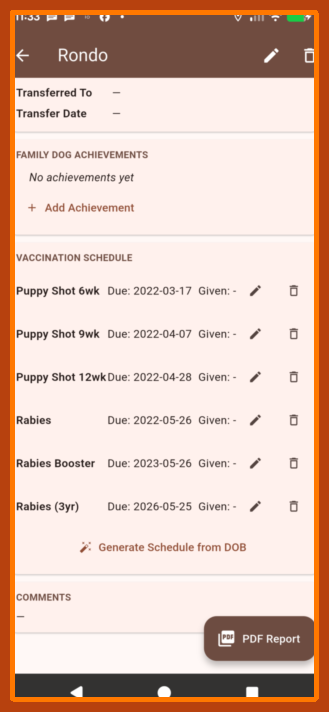
The Vaccination Schedule will auto-calculate from Date of Birth
The Edit icon enables over-riding calculated dates.
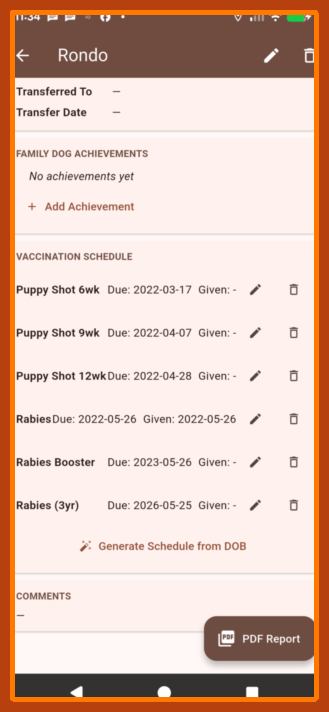
This screen shows the date of initial Rabies vaccination
1 year and 3 year Rabies boosters can be edited to actual date with the Edit icon.
There is a roomy Comments field at the bottom of the screen for extra notes.
Installing the App
LaymaniTracks is an APK file — a standard Android app package.
Here’s how to install it:
1. Download the APK file from our email reply.
Installation steps vary with the versions of Android. Most commonly, you tap the APK file in your Downloads folder and installation automatically begins.
Note: Google is restricting the ability to sideload apps that are not listed in the Play Store. Their prompt normally contains a means to bypass restrictions and directly install your application. Look for small print, saying something like “install anyway”.
2. Open the APK file by tapping it.
3. Android may show a security warning: “Your phone is not allowed to install unknown apps from this source.”
Tap Settings on that warning, then turn on the permission to allow installs from your browser or Files app. After that, go back and tap Install.
4. Open LaymaniTracks and start tracking!
Hint: After installing, you can turn the install permission back off, if you prefer.
Viewing reports: LaymaniTracks can generate PDF reports. Use your phone’s Files app to save the report, then open it with any PDF reader app.
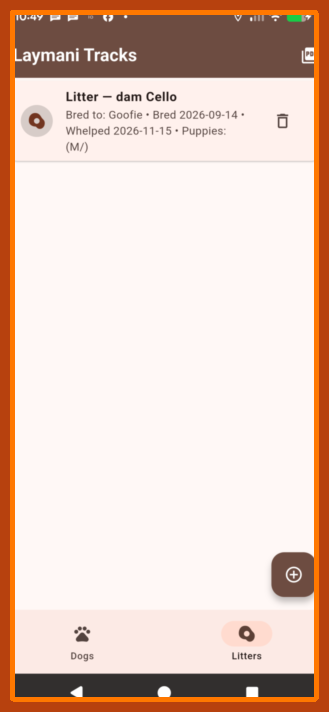
You may even find that the “Litter” section of our app is useful to enter all the puppies from your Laymani’s birth litter!
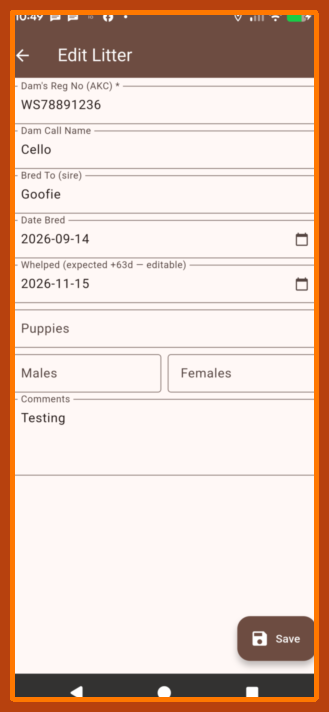
Litter Entry Form
More to Come
The family of LaymaniTracks applications includes Show, Breeder, and Shelter. They will be available here as they’re ready.
Questions? Reach us at tracksapp@laymani.com or call/text 1-740-336-0558.
Copyright © 2026 Laymani Boxers. All rights reserved.